You’ve probably seen the diagram: seven colored boxes stacked vertically with cryptic acronyms—PHY, DLL, NWK, TRM, SES, PRS, APP.
If you are like most people learning networking, you memorized them for an exam —or maybe an interview —nodded, and moved on without truly understanding why they exist.
Here is the reality:
Layers aren’t physical things. They are agreements.
They are protocols — a shared understanding between two systems on how to talk to each other. Understanding this distinction changes everything about how you debug, architect, and think about networking.
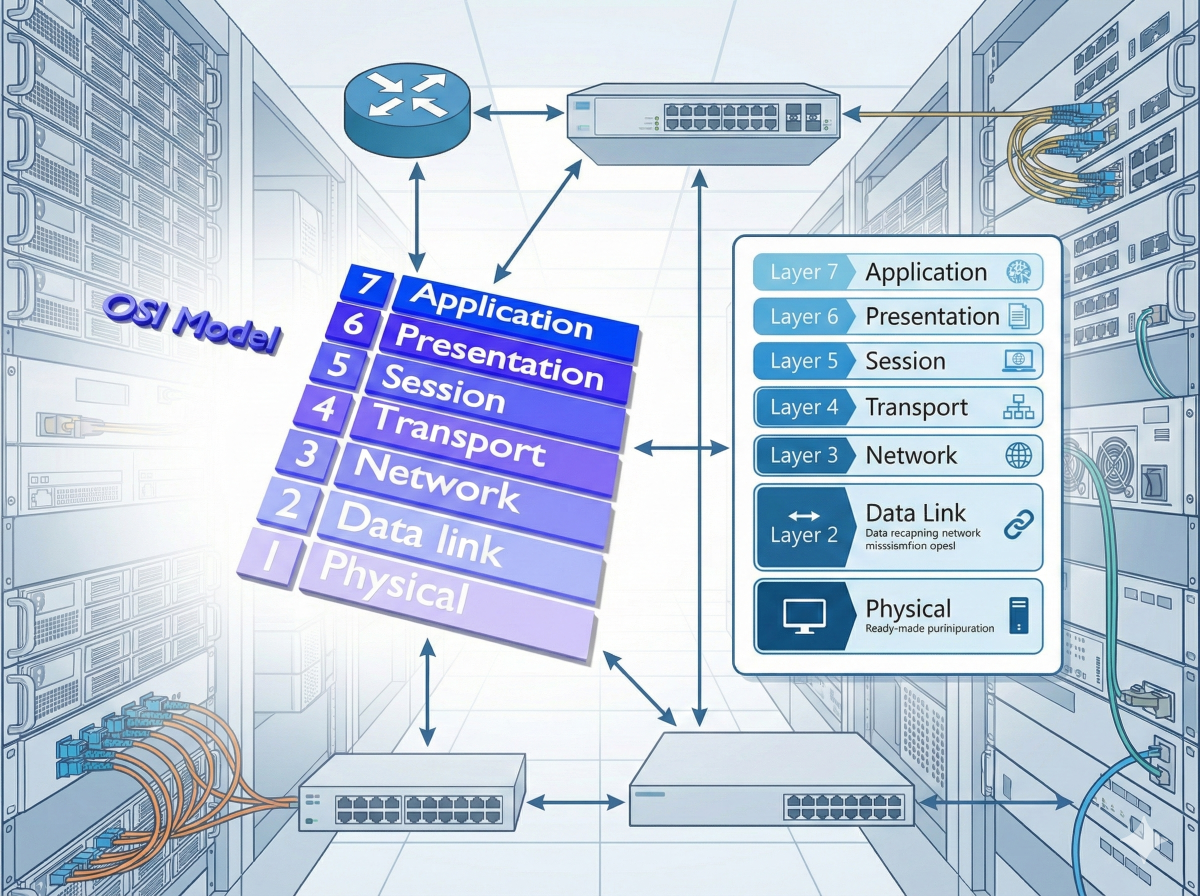
The Mental Model: Envelopes Inside Envelopes
Forget the colored boxes for a moment.
Imagine you are sending a letter across the country.
You write a message (data), fold it, and put it in an envelope. You write an address on it and drop it in a mailbox. The postal service doesn’t care about your letter — they only care about the address on the envelope. They sort it, load it onto trucks, and deliver it.
At every step, someone is handling an envelope. None of them open it to read your letter.
That is encapsulation. That is the OSI model.
Visualizing the “Envelopes”: Notice how Layers 5 and 6 are hidden inside the Layer 7 payload? That is because in modern networking, the Application handles them internally.
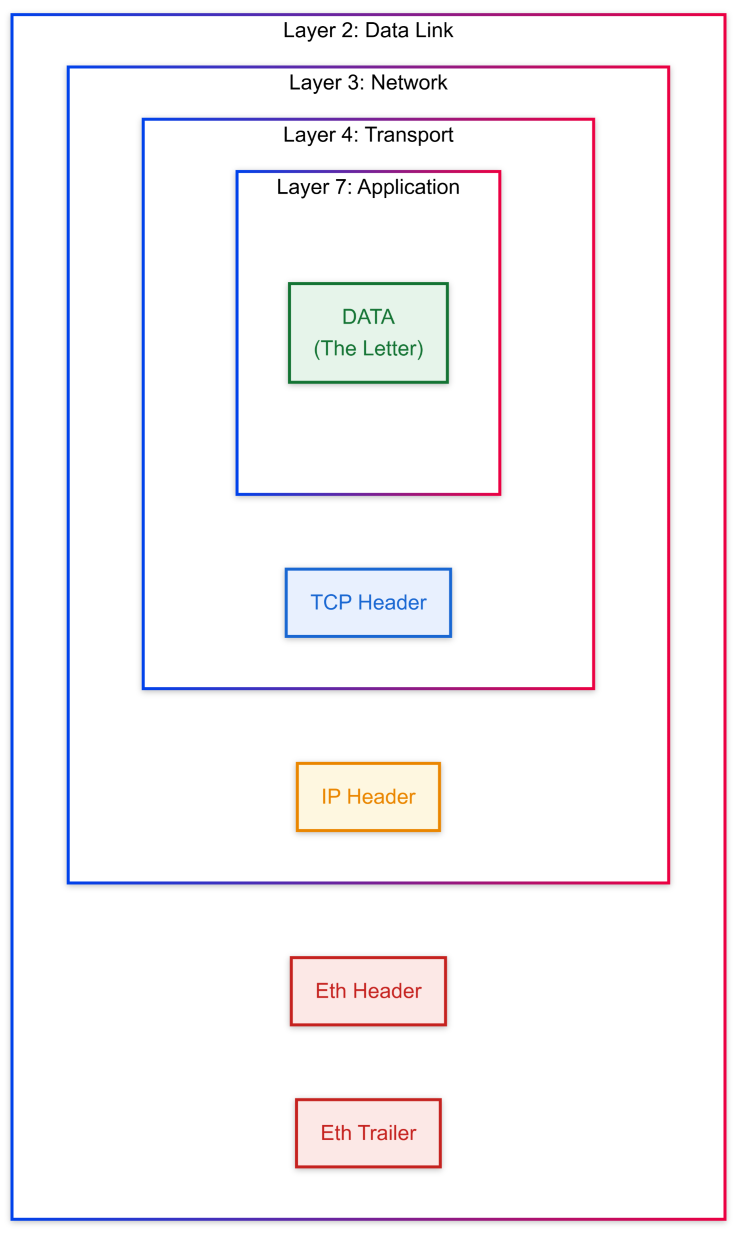
Each layer wraps the previous layer’s data in its own “envelope” — adding headers, metadata, and instructions for the next layer.
When the data arrives, each layer unwraps its envelope and hands the contents to the layer above it.
The Seven Layers: What They Actually Do
Now that you understand the why, let’s walk through what actually happens to your data — one layer at a time.
Layer 1: Physical — The Road
This is the raw, dumb, physical medium.
It isn’t the truck carrying the data; it’s the road the truck drives on.
Voltage levels, light pulses, radio waves. A bit is just “on” or “off.”
If you cut a fiber cable or unplug an Ethernet cord, you didn’t break the truck — you destroyed the road.
Layer 2: Data Link — The Local Delivery Truck
This is where the truck lives.
Layer 2 is responsible for getting data from one building to the next immediate building.
It uses MAC addresses to identify devices on the local network.
- The job: “Take this frame from my laptop to the Wi-Fi router.”
- The limitation: The driver has no idea where the internet is — only the next hop.
Layer 3: Network — The GPS
This is where the internet begins.
Layer 3 adds an IP address — your global destination.
Routers live here.
They look at the destination and decide which local truck (Layer 2) should carry the packet next. That’s how packets hop across continents without anyone knowing the full path.
Layer 4: Transport — The Shipping Manifest
This is where you choose how things are shipped.
- TCP: Registered mail. Ordered, acknowledged, retransmitted if lost.
- UDP: A postcard. Fast, best-effort, no guarantees.
- Ports: Apartment numbers. Same building, different doors (80 for HTTP, 22 for SSH).
Layers 5, 6, and 7 — The Contents
In modern systems, these often blur together, but conceptually they still matter.
- Layer 5 (Session): Manages the conversation. “You’re logged in.”
- Layer 6 (Presentation): Translation and formatting. UTF-8, JPEG, encryption.
- Layer 7 (Application): The actual message. HTTP, SMTP, DNS.
When you type a URL into your browser, you’re interacting with Layer 7.
Why Do We Need All These Layers?
One phrase: Separation of concerns.
Layers allow different parts of the system to evolve independently.
- Your browser doesn’t care whether you’re on Wi-Fi or Ethernet.
- Netflix doesn’t know your home network topology.
- A router vendor can change hardware without breaking HTTP.
Layers are contracts.
“If you follow the rules here, I promise to do my part.”
Practical Application: Troubleshooting by Layers
The OSI model is not theory — it’s a checklist. Use this flow to diagnose issues. Notice how Layers 1 and 2 are local, while Layers 3+ are end-to-end.
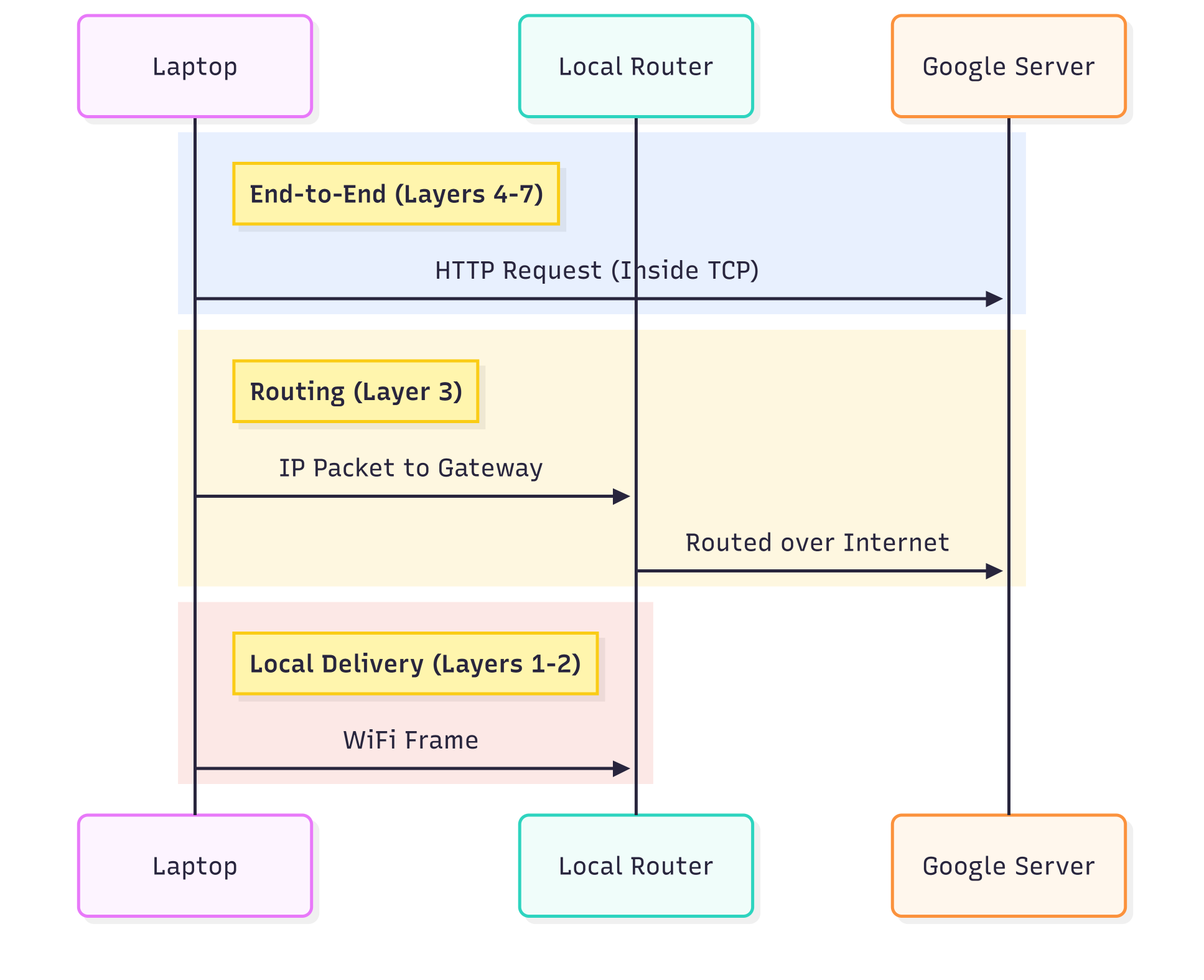
- Can’t see Wi-Fi at all? → Layer 1
- Can see Wi-Fi but can’t join? → Layer 2
- Connected but no internet? → Layer 3 (IP, routing, DHCP)
- Can ping, but websites won’t load? → Layer 7 (DNS, HTTP)
Start low. Move up. Stop guessing.
The Takeaway
Stop memorizing acronyms.
Think in envelopes. Think in scope. Think in responsibilities.
That’s when the OSI model stops being trivia — and becomes instinct.